TL;DR
- Master the Fundamentals: Build a strong foundation by familiarising yourself with the PowerPoint interface, exploring various layouts and designs, and effectively utilising basic formatting tools for clean, concise slides.
- Strategically Structure Your Message: Frame your content using established communication models like the Pyramid Principle for clear, logical influence or Monroe’s Motivated Sequence to craft a compelling, action-oriented story that instils urgency.
- Elevate Visual Design for Impact: Enhance engagement through strategic design choices, including high-contrast colour schemes, easy-to-read fonts, high-quality visuals, and the judicious use of subtle animations and transitions for visual consistency.
- Refine for Maximum Audience Engagement: Prioritise clarity by using concise, consistent bullet points and ample white space, and encourage participation by incorporating interactive elements like hyperlinks, clickable buttons, and integrated polls or surveys.
You’re sitting in a dimly lit conference room, eyes fixed on the screen as yet another PowerPoint presentation unfolds. Slide after slide, bullet points blur together, and your mind wanders. Sound familiar? We’ve all been there. But what if a presentation didn’t have to be dull and uninspiring? What if they could captivate, inform, and leave a lasting impression?
In this comprehensive guide, we’ll explore the nitty-gritty of a PowerPoint presentation, uncovering tips for crafting engaging slideshows that command attention and resonate with your audience. From mastering the basics of PowerPoint’s interface to fine-tuning your delivery techniques, we’ll cover everything you need to know to elevate your presentations to the next level.
Whether you’re a seasoned presenter looking to refine your skills or a novice seeking guidance, this blog is your roadmap to success. Join us as we explore the art and science of PowerPoint presentations, unlocking the tools and techniques that will empower you to communicate confidently and clearly. So, let’s dive in and discover the tips to improve your PowerPoint presentation together.

Phase 1: Understanding The Basics
Laying a robust foundation is similar to building a sturdy structure in PowerPoint presentations—it’s essential for creating compelling slideshows. In this section, we’ll discuss the fundamental elements of PowerPoint, equipping you with the knowledge needed to navigate the software seamlessly and unleash your creativity.

Familiarisation With PowerPoint Interface
To begin your journey with PowerPoint, let’s first acquaint ourselves with its interface. Upon launching the application, you’ll encounter a familiar sight – a blank canvas awaiting your creativity. At the top, you’ll find the Ribbon, a dynamic toolbar housing various tabs and commands. These tabs, including Home, Insert, Design, Transitions, Animations, and the Slide Show, serve as gateways to PowerPoint’s vast array of features and tools. Take your time to explore each tab and familiarise yourself with its offerings, from basic formatting options to advanced functionalities.
Exploring Different Slide Layouts And Designs
Now that you’re comfortable with the interface let’s dive into the realm of slide layouts and designs. Gone are the days of mundane bullet-point slides – PowerPoint offers a treasure trove of pre-designed layouts and themes to elevate your presentations. From title slides to content slides to conclusion slides, each layout serves a unique purpose and sets the tone for your presentation. Experiment with different designs, colours, and fonts to find a style that resonates with your message and captivates your audience.
Utilising Basic Formatting Tools
With your layout chosen, it’s time to populate your slides with content. Text, images, and multimedia elements are the building blocks of your presentation, and mastering basic formatting tools is key to ensuring their effectiveness. Explore font options, sizes, and colours to enhance readability and visual appeal. Likewise, leverage formatting tools for objects such as shapes, icons, and SmartArt to convey complex ideas with clarity and precision. Remember, simplicity is key – aim for clean, concise slides that convey your message effectively.
“Kapable has played a crucial role in my growth. I joined to overcome challenges with public speaking and impromptu situations, especially in larger settings. The sessions helped me structure my ideas better and shift from reacting impulsively to responding thoughtfully, improving my workplace interactions. The tools and techniques I’ve learned have greatly boosted my confidence and clarity.”
– Jainil Vadhan (Programmatic Solutions Consultant At Amazon)
Phase 2: Structuring Your Presentation
In crafting a compelling presentation, the structure serves as the backbone that supports your message and captivates your audience. In this section, we’ll explore two distinct approaches to structuring your presentation: leveraging pyramid principle to create impact and influence, and employing Monroe’s Motivated Sequence to tell a story and instil urgency.
Creating Impact And Influence with Pyramid Principle
The Pyramid Principle, developed by Barbara Minto, is a structured approach to presenting ideas logically, clearly, and compellingly. It involves organising your thoughts in a hierarchical structure, starting with the main idea and breaking it down into supporting arguments and evidence. This approach helps ensure that your message is coherent and impactful, making it easier for your audience to follow and understand.

- Start with the main idea (Top of the Pyramid)
Begin your presentation with the key message or main idea you want to convey. This is the most important point you want your audience to take away. State it clearly and succinctly to grab their attention from the outset.
- Provide Supporting Arguments (Middle of the Pyramid)
After stating your main idea, present the key arguments that support it. These arguments should be logically connected to your main idea and provide a strong rationale for why it is valid. Each supporting argument should be a separate point that contributes to the overall message.
- Present Evidence and Examples (Base of the Pyramid)
To reinforce your supporting arguments, provide concrete evidence and real-world examples. This can include data, case studies, testimonials, or any other form of proof that lends credibility to your claims. The evidence should be relevant and compelling, helping to convince your audience of the validity of your main idea.
Telling A Story And Creating Urgency With Monroe’s Motivated Sequence
In this section, we’ll explore how to structure your presentation using Monroe’s Motivated Sequence to tell a compelling story and instil urgency in your audience.
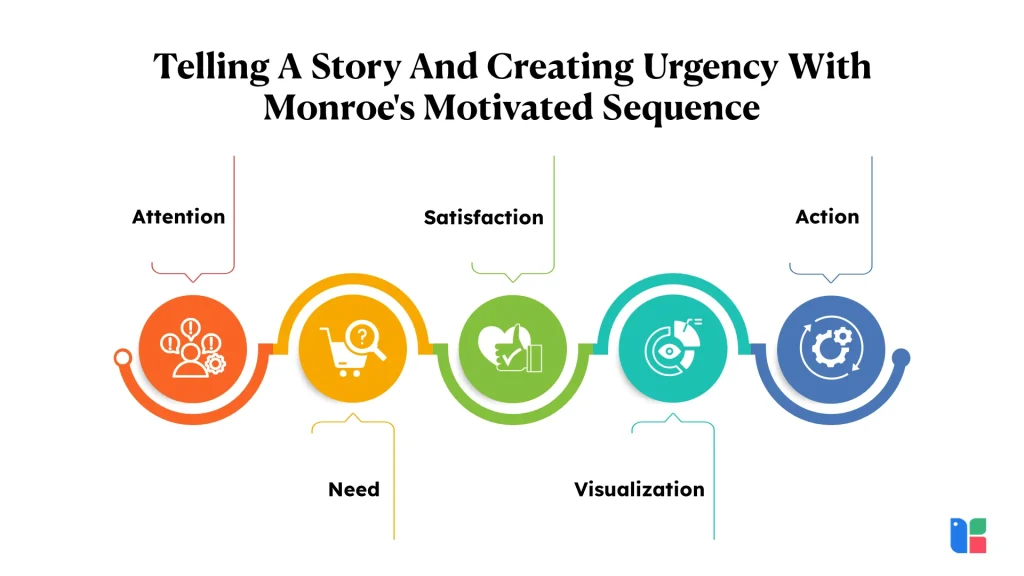
Attention:
Capture your audience’s attention right from the start by highlighting a shocking statistic, asking a thought-provoking question, or sharing a captivating anecdote related to the challenges your organisation currently faces. Possible Elements to Include:
- Start with a surprising fact or statistic
- Ask a thought-provoking question
- Use a story or share personal experiences
- Incorporate humour or suspense
- Utilise visual aids or a prop
- Engage the audience with participation
By grabbing their attention with a compelling hook, you set the stage for the rest of your presentation and ensure that your audience is fully engaged from the outset.
Need:
Next, establish the need for change by outlining the specific pain points and challenges your organisation faces with its current project management system. Paint a vivid picture of the consequences of inaction and the missed opportunities for improvement. Possible elements to include:
- Identify the problem
- Establish the significance
- Use examples and anecdotes
- Provide a solution
- Establish credibility
- Appeal to emotion
By highlighting the urgent need for improvement, you create a sense of dissatisfaction with the status quo and lay the groundwork for your proposed solution.
Satisfaction:
Present your proposed solution – the implementation of a new project management system – as the answer to your organisation’s problems. Clearly articulate the benefits and advantages of adopting the new system, addressing the specific needs and concerns of your audience. Possible elements to include:
- Clearly articulate the solution
- Address potential concerns
- Provide multiple solutions
- Provide evidence
- Show how to implement the solution
- Use clear and concise language
By showcasing the benefits of your solution, you inspire hope and enthusiasm among your audience, motivating them to embrace change.
Visualisation:
Help your audience envision the positive outcomes and benefits of adopting your proposed solution by painting a vivid picture of the future state. Describe the transformative impact the new project management system will have on their daily work lives and the organisation as a whole. Possible elements to include:
- Use graphics and images
- Use storytelling
- Use videos
- Use metaphors and analogies
- Use real-world examples
- Use interactive elements
By inspiring your audience to visualise the possibilities, you ignite their imagination and fuel their desire for change.
Action:
Conclude your presentation with a clear call to action that prompts your audience to take the next steps toward implementing the new project management system. Provide specific instructions and resources to facilitate their involvement and commitment to the initiative. Possible elements to include:
- Provide a clear call-to-action
- Use persuasive language
- Use social proof
- Provide clear instructions
- Create a sense of urgency
- Break it down into smaller steps
By issuing a compelling call to action, you galvanise your audience into action and create a sense of urgency around the need for change.
If delivering more engaging PowerPoint presentations is one of your professional goals, Kapable can help you evaluate whether its learning approach aligns with the communication skills you want to develop. Professionals considering our program can learn from the experiences of past participants on the Kapable Reviews page.
Phase 3: Designing Engaging Slides
From choosing the right colour scheme and fonts to incorporating multimedia elements, we’ll explore the essential components of slide design that will elevate your presentation to the next level.
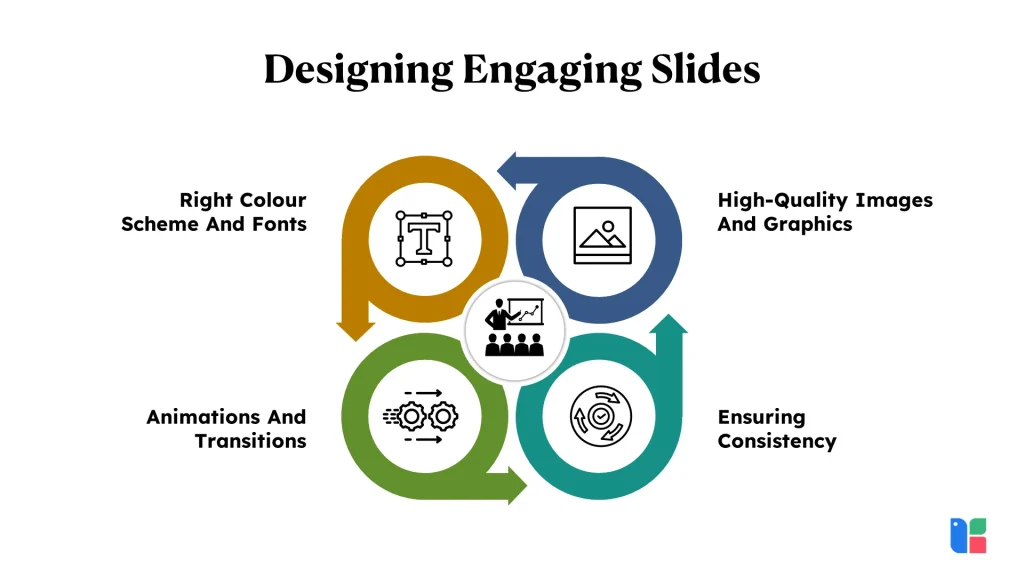
Right Colour Scheme And Fonts
Colour and typography play a crucial role in conveying your message and evoking the desired emotional response from your audience. When selecting a colour scheme for your slides, opt for colours that complement your brand identity or the theme of your presentation. Consider using contrasting colours for text and background to ensure readability, and avoid overwhelming your audience with too many vibrant hues.
Similarly, choose fonts that are easy to read and visually appealing. Stick to one or two primary fonts throughout your presentation to maintain consistency and coherence. Sans-serif fonts like Arial or Calibri are often preferred for on-screen readability, while serif fonts like Times New Roman or Georgia can lend a touch of elegance to your slides.
High-Quality Images And Graphics
Visual imagery can be enhanced with the impact of your message and make your presentation more memorable. Instead of relying solely on text, incorporate high-quality images and graphics that reinforce your key points and capture your audience’s attention. Choose images that are relevant to your content and convey your message effectively, avoiding clichéd stock photos whenever possible.
Utilise graphics such as icons, illustrations, and charts to simplify complex concepts and add visual interest to your slides. Ensure that all images and graphics are of high resolution and properly aligned within your slides to maintain a polished and professional appearance.
Animations And Transitions
Animations and transitions can add a dynamic element to your presentation and help guide your audience’s focus from one point to the next. However, use them sparingly and purposefully to avoid distracting your audience or detracting from your message. Consider using subtle animations such as fade-ins or slide transitions to introduce new content or emphasise key points.
Be mindful of the timing and duration of animations, ensuring that they enhance rather than detract from the flow of your presentation. Avoid excessive or gimmicky animations that may overshadow your content or come across as unprofessional.
Ensuring Consistency
Consistency is key to creating a cohesive and polished presentation that leaves a lasting impression on your audience. Maintain a consistent visual style, including colour scheme, fonts, and layout, across all slides to reinforce your branding and enhance readability.
Use slide templates or master slides to establish a uniform design framework for your presentation, ensuring that each slide adheres to the same design guidelines. Pay attention to details such as alignment, spacing, and formatting to create a visually harmonious presentation that reflects attention to detail and professionalism.
Phase 4: Enhancing Aesthetics and Interactivity
In this section, we’ll explore techniques for enhancing the aesthetics of your presentation and incorporating interactive elements to engage your audience effectively.
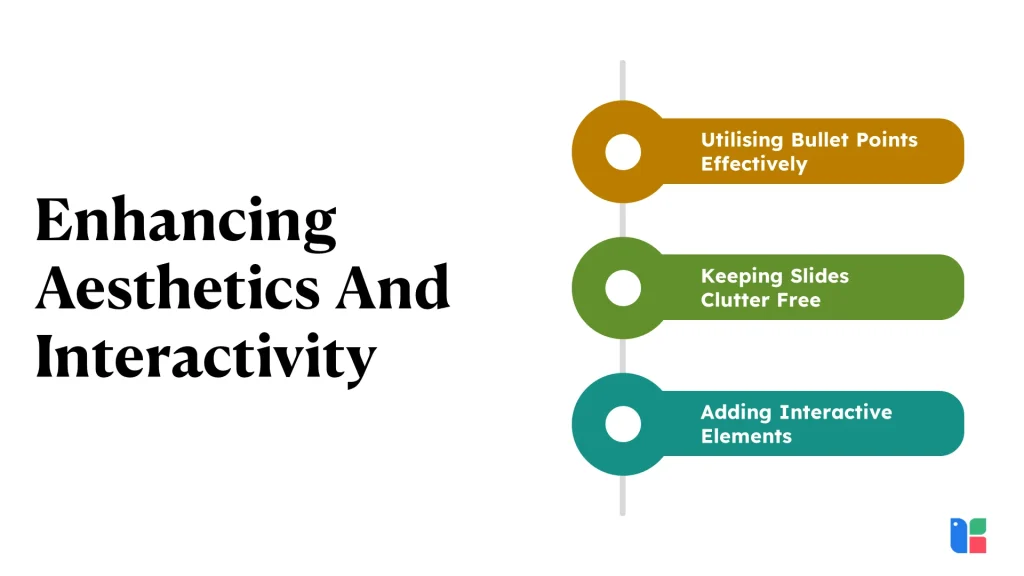
Utilising Bullet Points Effectively
Bullet points are a versatile tool for organising information and improving the readability of your slides. Follow these guidelines to use the bullet points effectively:
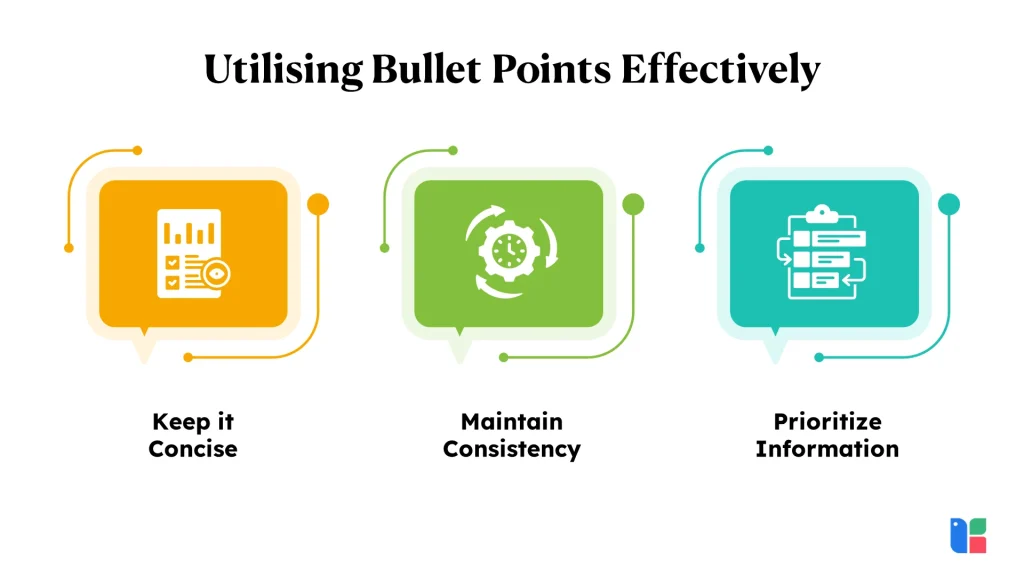
- Keep it Concise: Use bullet points to convey key ideas or supporting details in a concise and digestible format. Limit each bullet point to one idea or concept to avoid overwhelming your audience with too much information.
- Maintain Consistency: Use consistent formatting for bullet points throughout your presentation to create a sense of coherence and professionalism. Align bullet points consistently, and ensure that spacing and indentation are uniform across slides.
- Prioritise Information: Arrange bullet points in order of importance or logical sequence to guide your audience’s attention and understanding. Use bullet points to highlight key takeaways or action items, ensuring that your message is clear and easy to follow.
Keeping Slides Clutter Free
Clean and clutter-free slides are essential for maintaining audience engagement and conveying your message effectively. Follow these principles to keep your slides clean and visually appealing:

- Limit Text: Avoid overcrowding slides with excessive text or information. Keep text blocks concise and use visuals, such as images or icons, to complement and reinforce key points.
- Embrace White Space: Use white space strategically to create a sense of balance and focus on your slides. Leave ample space between text, images, and other elements to improve readability and visual clarity.
- Choose a Cohesive Design: Select a consistent design theme or template for your presentation to ensure visual cohesion. Use complementary colours, fonts, and layouts to create a professional and polished appearance.
Adding Interactive Elements
Interactive elements can enhance audience engagement and make your presentation more dynamic and memorable. Consider incorporating the following interactive features into your PowerPoint presentation:

- Hyperlinks: Include hyperlinks to external websites, documents, or resources related to your presentation topic. Encourage audience members to explore additional information or resources at their own pace.
- Clickable Buttons: Create clickable buttons or icons that trigger actions such as advancing to the next slide, revealing hidden content, or launching multimedia elements. Use buttons strategically to prompt audience interaction and guide the flow of your presentation.
- Polls and Surveys: Integrate polls or surveys into your presentation to gather feedback, gauge audience opinions, or spark discussions. Use polling software or built-in PowerPoint features to create interactive polls that encourage audience participation.
Slides can support your message, but your ability to communicate with clarity and conviction ultimately shapes audience engagement. Kapable helps professionals refine these presentation skills through continuous practice.
Conclusion
Mastering PowerPoint presentation skills can transform mundane slideshows into captivating, impactful experiences that resonate with your audience. By understanding the basics, structuring your content effectively using techniques, and enhancing your slides with engaging designs and interactive elements, you can elevate your presentations to new heights. Whether you’re persuading stakeholders, training a team, or delivering a keynote address, the ability to craft and deliver powerful presentations is an invaluable asset. Embrace these strategies and tools to communicate with confidence, clarity, and creativity, leaving a lasting impression every time you present.